Patient Interaction (Call)
Calling Patients
Conducting patient calls through PhyxUp Health’s call feature is an important part of monitoring patient progress, especially when patient engagement on the platform is limited. Calls allow remote therapists to gather updates that may not be reflected in uploaded data, provide guidance, and address patient questions or concerns in real time.
Call can be made directly from the patient dashboard, where you can also record the call duration and document discussion points.
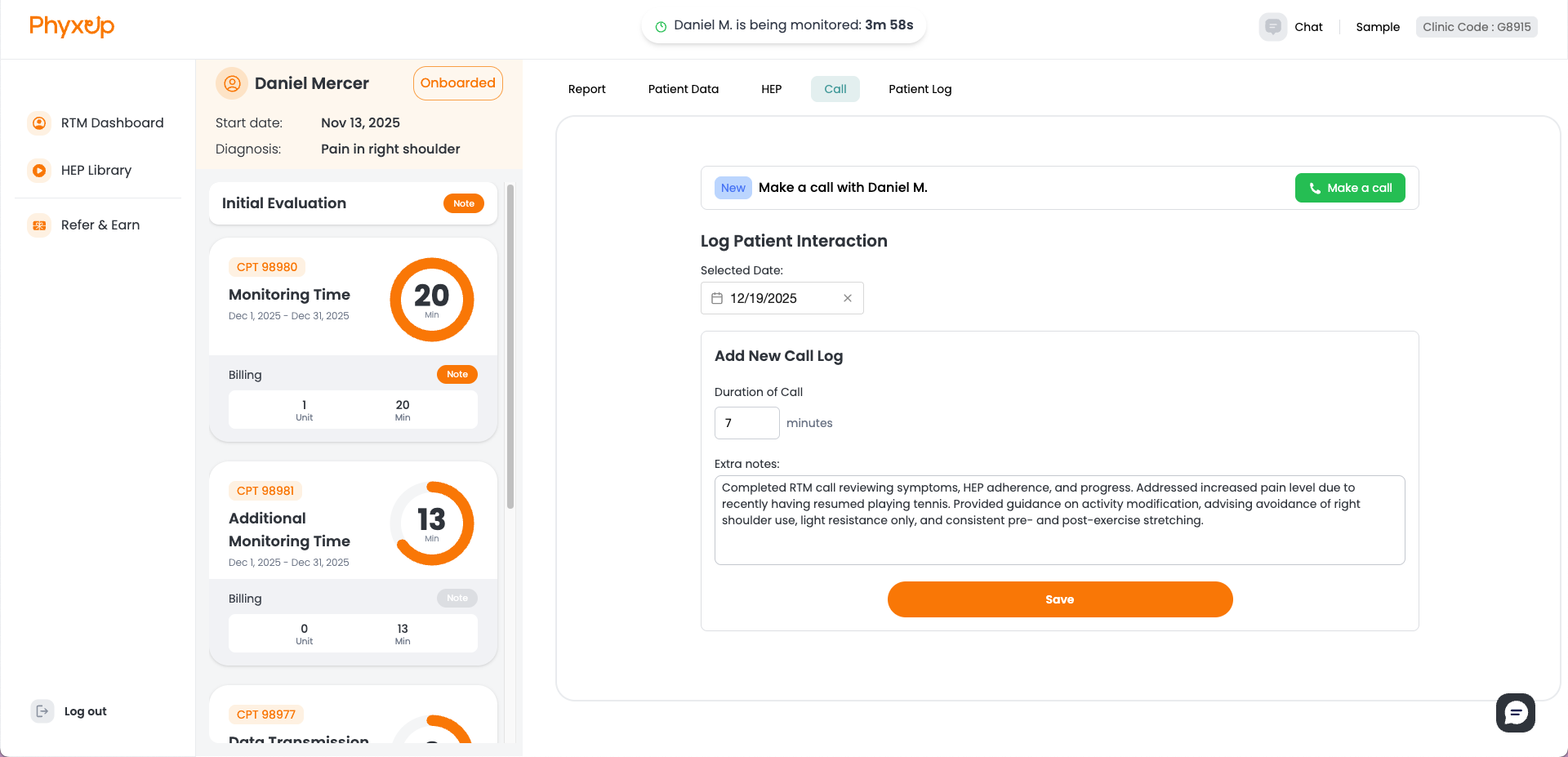
In accordance with CMS requirements, remote therapists providing RTM services must complete at least one episode of patient provider interactive communication (e.g., phone call or video call) within each 30 day billing cycle for every patient under their care.
Note: Calls to patients must always be conducted through the PhyxUp Health RTM platform. Remote therapists should not use personal phones or other communication channels when contacting patients.
Conducting Patient Calls
Initial Introduction Call
When calling a patient for the first time, remote therapists should schedule the call in advance using the chat function. Calls should be scheduled ahead of time unless the patient does not respond to chat messages after 3 to 5 days.
When introducing yourself, present yourself as a licensed physical therapist working with the clinic. Avoid emphasizing your role with PhyxUp Health. Instead, explain that you are part of the clinic’s remote care team and are working in coordination with the patient’s primary provider.
For introductory calls, keep the conversation friendly and conversational. Focus on learning more about the patient’s concerns and symptoms, explaining how to use the app, and gently reminding them to stay engaged with their assigned Home Exercise Program (HEP).
Sample Introductory Call Script
“Hello, this is (THERAPIST)! Am I speaking with (PATIENT)? I’m calling to introduce myself as the physical therapist working with (CLINIC)'s remote care team. I’ll be checking in with you between your in-person visits and working closely with (PRIMARY PROVIDER). I’ll be checking in with you between your in-person visits. I just wanted to see how you’ve been feeling, answer any questions you might have, and make sure everything’s going smoothly with the app and your exercises…”
Full sample scripts can be found in the PDF Manual page.
Introductory Call Checklist
Before Call
During Call
Follow Up Calls
Remote therapists should schedule and conduct follow up calls with each patient at least once per week. Between calls, patients may upload data reflecting their progress. Review this data in advance and prepare notes to guide the next conversation. Always send a short heads up message through the chat feature at least a day before placing a call.
During follow up calls, focus on the data the patient has uploaded by offering feedback and asking questions about their progress. Use the platform data as a reference point, not the sole focus of the conversation. Be sure to ask about any changes in symptoms, concerns, or improvements that may not be fully captured by the platform.
General topics to ask patients
- Uploaded feedback on Home Exercise Programs (HEPs) and pain level data
- Progress or changes in symptoms
- Mood and overall well being
- Any concerns or questions they may have
If a patient has not uploaded data between calls, remind them to use the platform and offer guidance on how to access and use its features, as needed.
Follow Up Call Checklist
Before Call
During Call
Unsuccessful Calls
If a patient does not answer your call, the platform will route you to the patient’s voicemail. In this case, leave a brief voicemail asking the patient to share an update on their symptoms and general condition through the chat function, and to confirm their availability for the next call.
If the patient’s voicemail is not set up, or if you encounter any other calling issues, document the problem in the call log. Set the call minutes to 0 and describe the issue in the notes. In addition, report the issue to PhyxUp Health by emailing support@phyxuphealth.com.
Recording Call Log
After each call, therapists should note the status of the call (successful, left voicemail, error, etc.) and the discussion they had during the call. If the call is successful or goes to voicemail, the call duration time will automatically be recorded in the platform in the patient log.
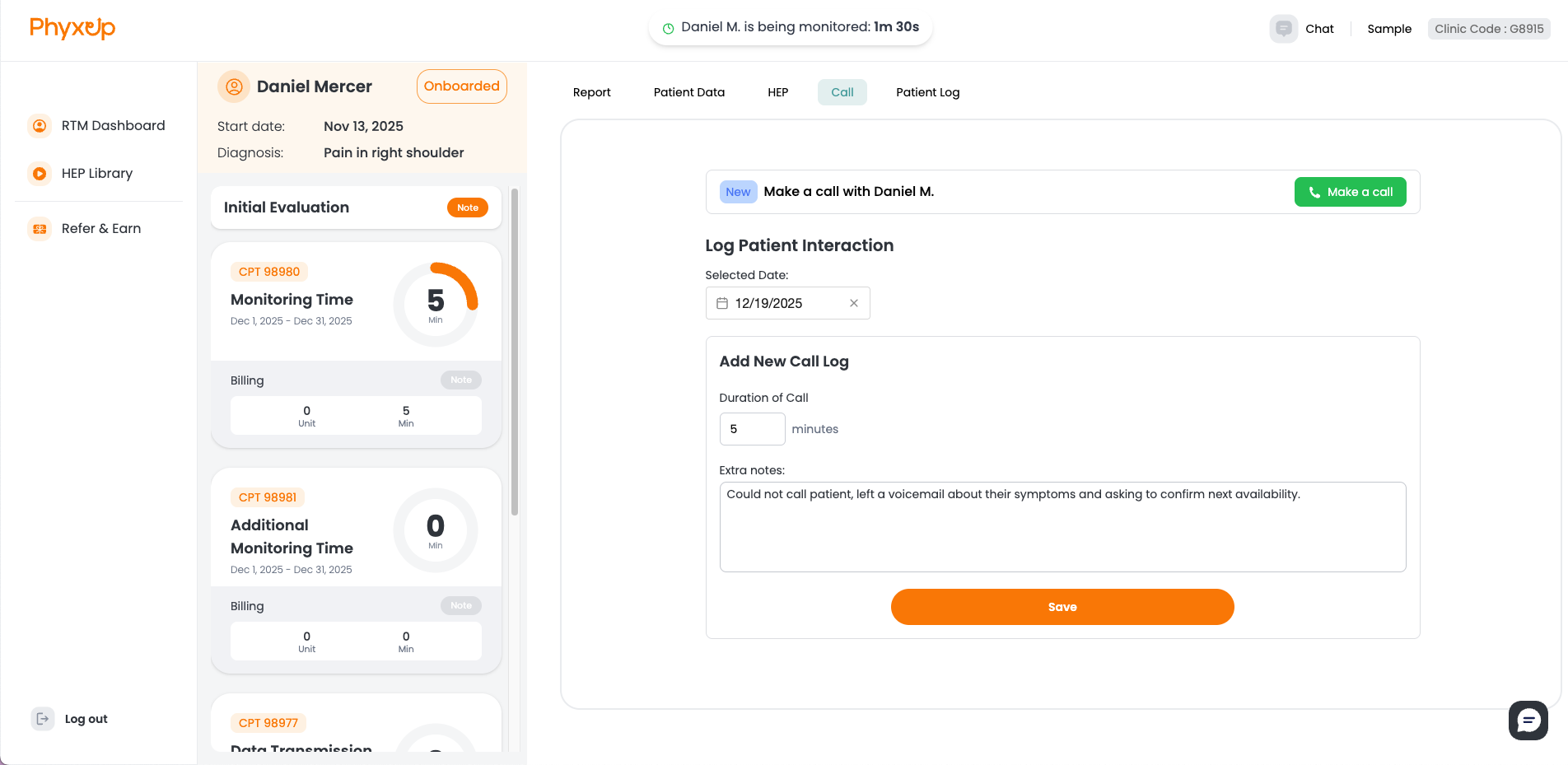
Note: Call logs are used for billing and compliance purposes. When documenting calls, be as thorough and accurate as possible by clearly recording the call duration, key discussion points, patient feedback, and any relevant observations or follow up actions.
Common Questions and Issues From Patients
Patients may occasionally ask questions or raise concerns that feel difficult to answer at first. That is completely normal! Below are some common topics that may come up, along with guidance on how to respond.
1. Insurance Billing
When patients are introduced to RTM services, they often ask whether they will be billed and whether their insurance covers the service. You can explain that RTM is a CMS approved medical service that their clinic has determined is appropriate for their care.
Reassure patients that PhyxUp Health only enrolls patients whose insurance coverage has already been verified. Their insurance information was reviewed in advance and coverage for RTM was confirmed directly with the insurance provider. Patients do not need to take any additional action regarding insurance or billing, as this has already been handled by the clinic and PhyxUp Health.
2. Wants to Discontinue RTM
Some patients may find the RTM service inconvenient or may decide they no longer wish to participate. If a patient expresses a desire to discontinue the service, let them know that calls will be paused for the time being.
Ask the patient why they would like to stop the service, as this feedback can be helpful for the care team. Then, report the situation by emailing support@phyxuphealth.com so the team can confirm whether the patient should be formally discharged from the RTM service.
Do not continue monitoring or outreach until you receive further guidance.
3. Data Privacy Concerns
Some patients may have concerns about how their data is used or shared. Reassure them that their data is not shared outside of the platform, their clinic, or their assigned remote and primary therapists.
All patient data is handled in accordance with HIPAA requirements, and PhyxUp Health follows industry best practices for data security and privacy. The platform is designed to support patient care while maintaining confidentiality and compliance, including approval from the APTA digital transparency guidelines.