HEP Library
HEP Library
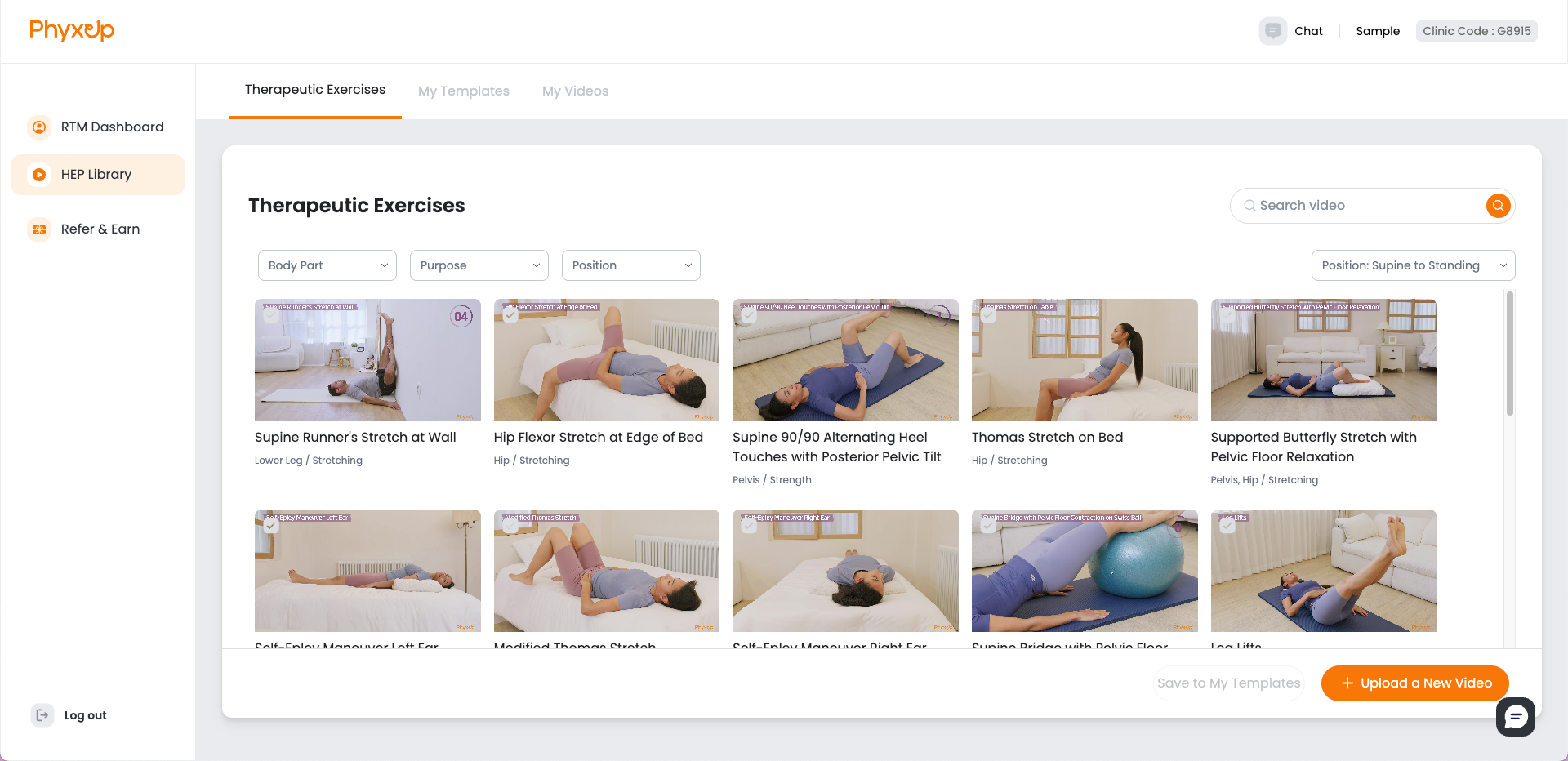
The PhyxUp HEP Library offers over 500 exercise videos. From this page, you can browse available HEPs to send to patients, create customizable templates, and upload your own custom videos.
The HEP library covers a range of conditions for body parts such as:
- TMJ
- Cervical
- Shoulder
- Chest
- Arm
- Elbow
- Forearm
- Wrist
- Hand
- Finger
- Thoracic
- Lumbar
- Core
- Pelvis
- Hip
- Upper Leg
- Knee
- Lower Leg
- Ankle/Foot
- Balance
- Stability
- Other (Hemiplegia, Vertigo treatment)
Tip: Use the sorting and filtering tools to quickly find relevant exercises.
Note: You cannot assign HEPs to patients through the HEP library page. To assign an HEP to a patient, navigate to the Patient Dashboard and access the HEP tab.
My Templates
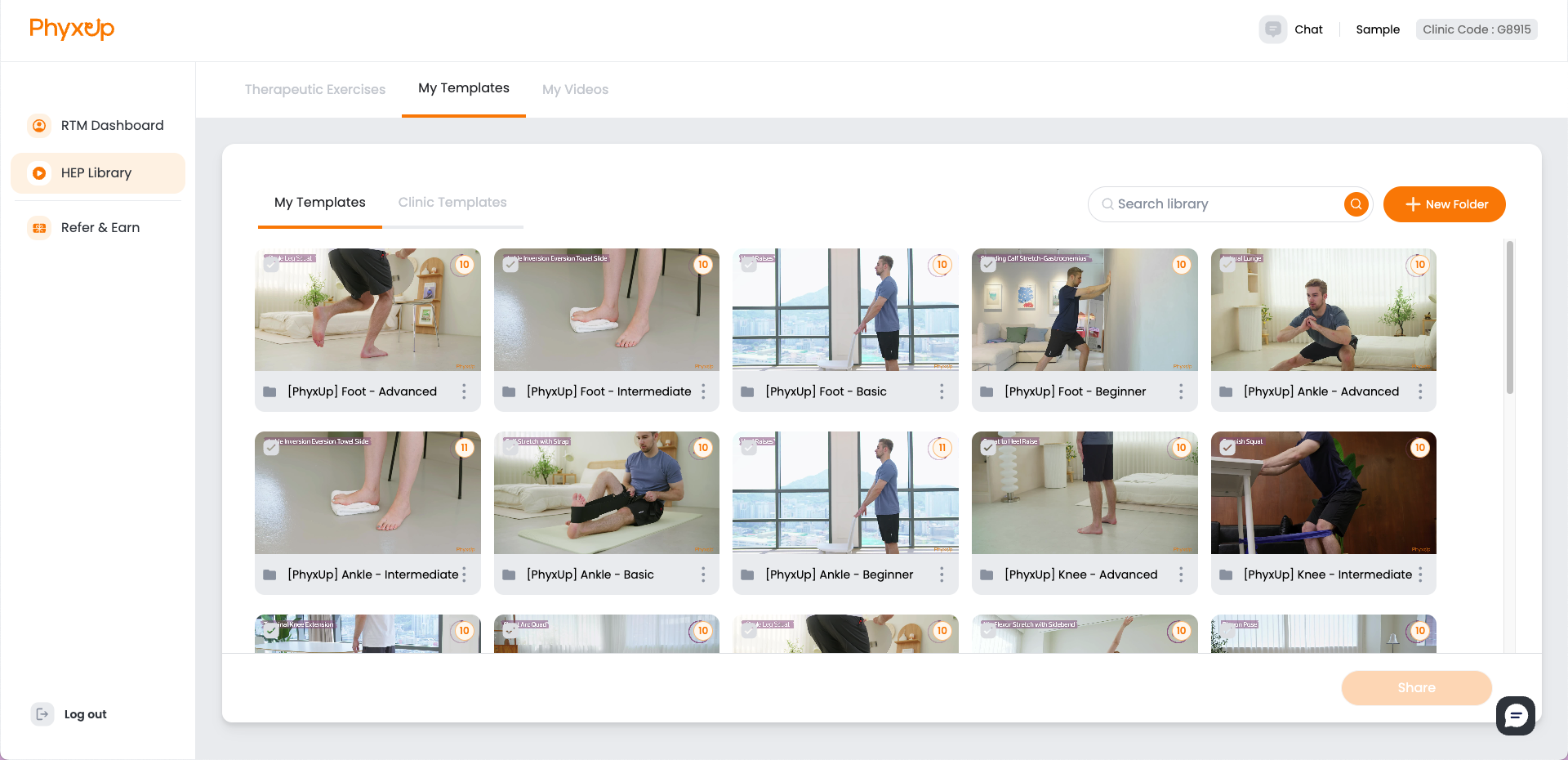
To view pre-existing templates or create new templates, navigate to the My Template tab. PhyxUp Health offers pre-built templates with 10-11 videos each for specific body parts that therapists can assign to patients. You can also view pre-existing templates created and shared by other therapists within the same clinic in the Clinic Templates tab.
You may create and share your own custom templates by clicking New Folder in the top-right corner of the page. To share a template, select the checkbox in the top-left corner of the desired template, then click Share in the bottom-right corner.
Note: Avoid assigning too many videos at once and overloading the patient with information and workload. Rather than assigning a 10-video template in a single day, distribute the exercises over multiple days and assign only 2–3 videos per day across a week to support better patient adherence and engagement.
Uploading Custom Videos
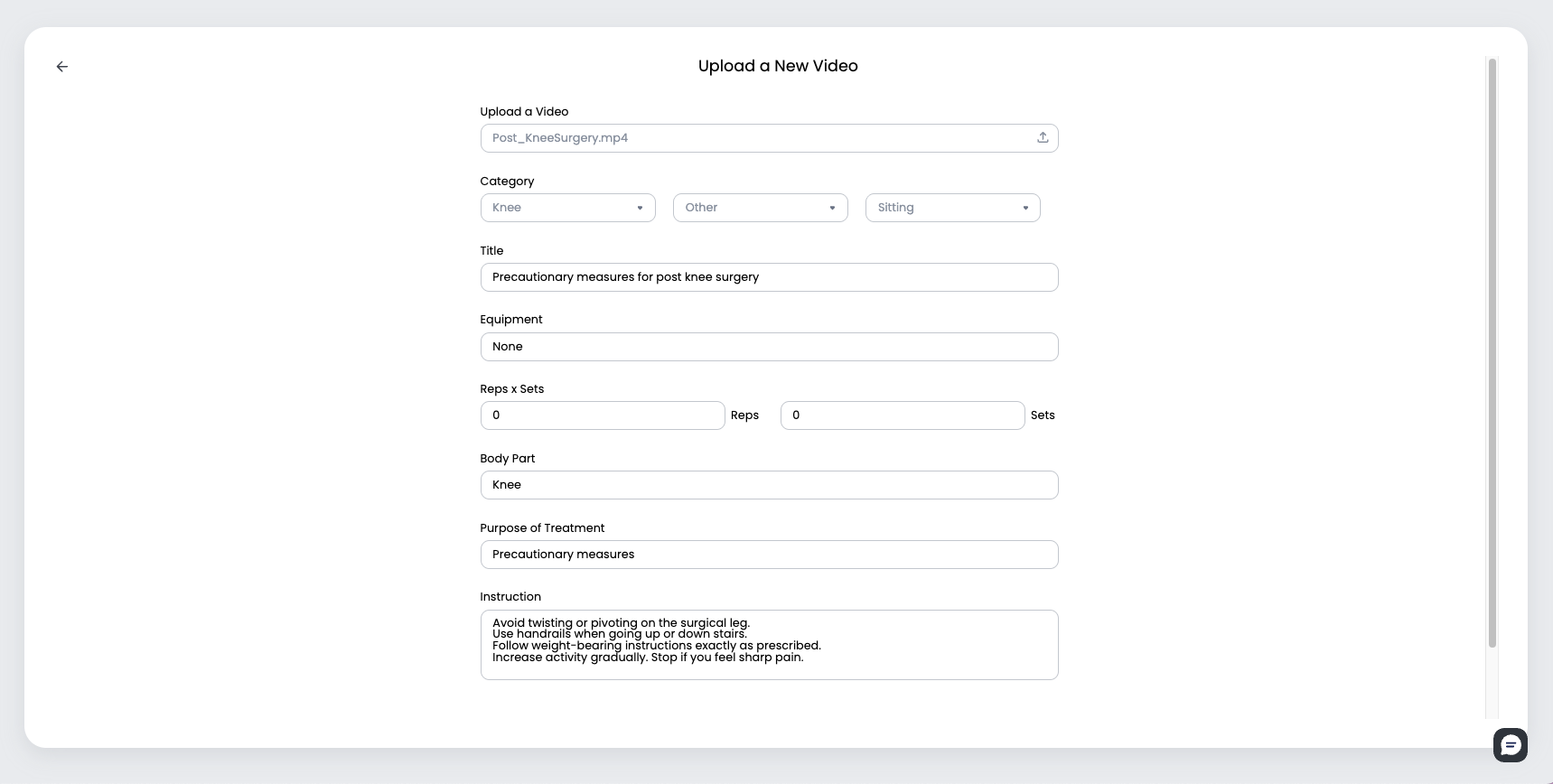
To assign custom videos to patients, navigate to the My Videos tab. From here, you can upload videos either by scanning the QR code on your mobile device or by uploading directly from your computer.
Examples of custom videos include:
- Post-surgery precautionary instructions
- Patient-specific requests
- Non-exercise actions (icing, elevation, etc.)
Note: When uploading custom videos, be sure to complete all required fields and provide clear, detailed instructions to ensure patients understand how and when to perform each activity.