E-Signature and Final Minutes
E-Signature
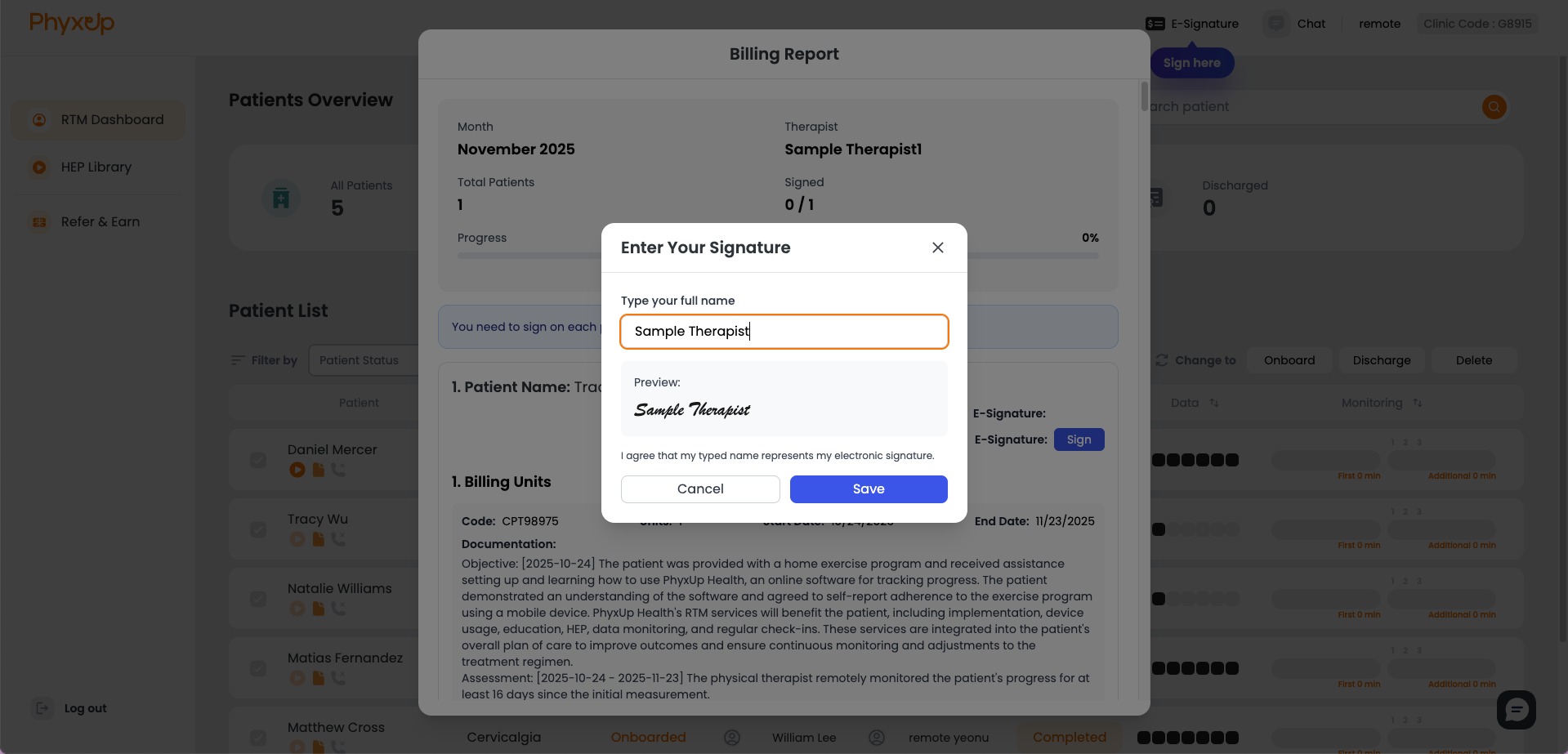
Billing Reports will be available at the end of the month or at the beginning of a new month once they are finalized by the billing team. Once monthly billing reports are available, you cannot access other features in the platform until the billing report is signed with your E-signature.
After signing the billing report, you can click on E-Signature at the top of the screen next to the Chat icon to view the report.
Final Minutes
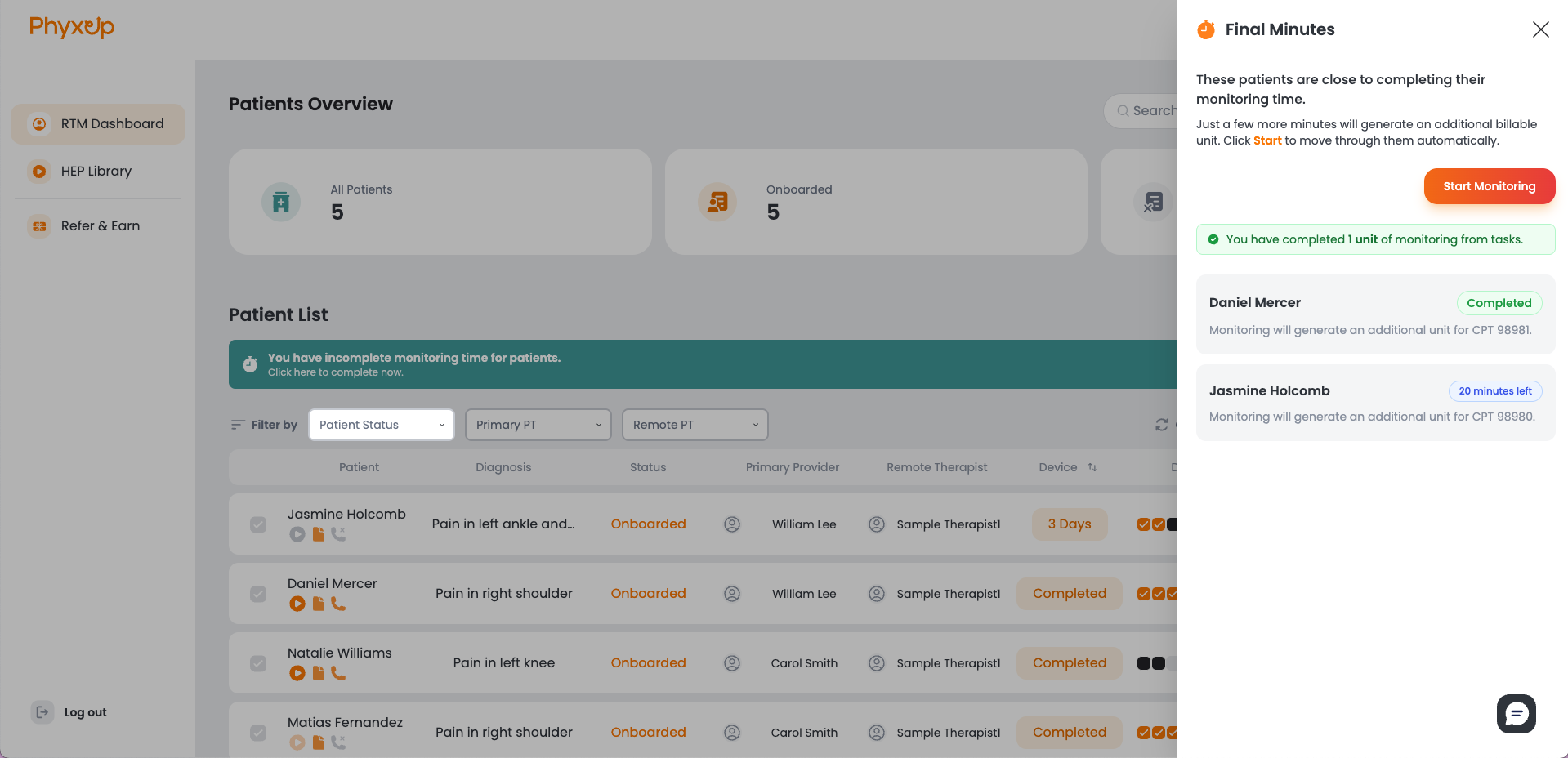
The Final Minutes banner banner appears during the last seven days of each month as a reminder to identify patients who require additional monitoring time to remain compliant with CMS regulations and meet minimum billing requirements.
Click Start Monitoring to quickly navigate between patients who need additional monitoring time.
Note: Monitoring time should only be recorded when it can be justified. Refer to Patient Monitoring for guidance on when to monitor patients.